Step 2: Building Playbooks
In this step, you will configure the Root Agent and create four Specialist Sub-Agents. These playbooks define the agent hierarchy that powers SokoAI conversation routing.
Part A: Configure the Root Playbook (Soko AI Agent)
The root agent is automatically created when you create your AI app. You will now configure it with a name and description.
-
On your Agent Builder page, click the agent title in the left panel. A configuration sidebar will open.
-
Set the agent name to
Soko AI Agent. -
In the Description (optional) field, paste the following:
-
Once you have confirmed the configuration is correct, click Saveit.
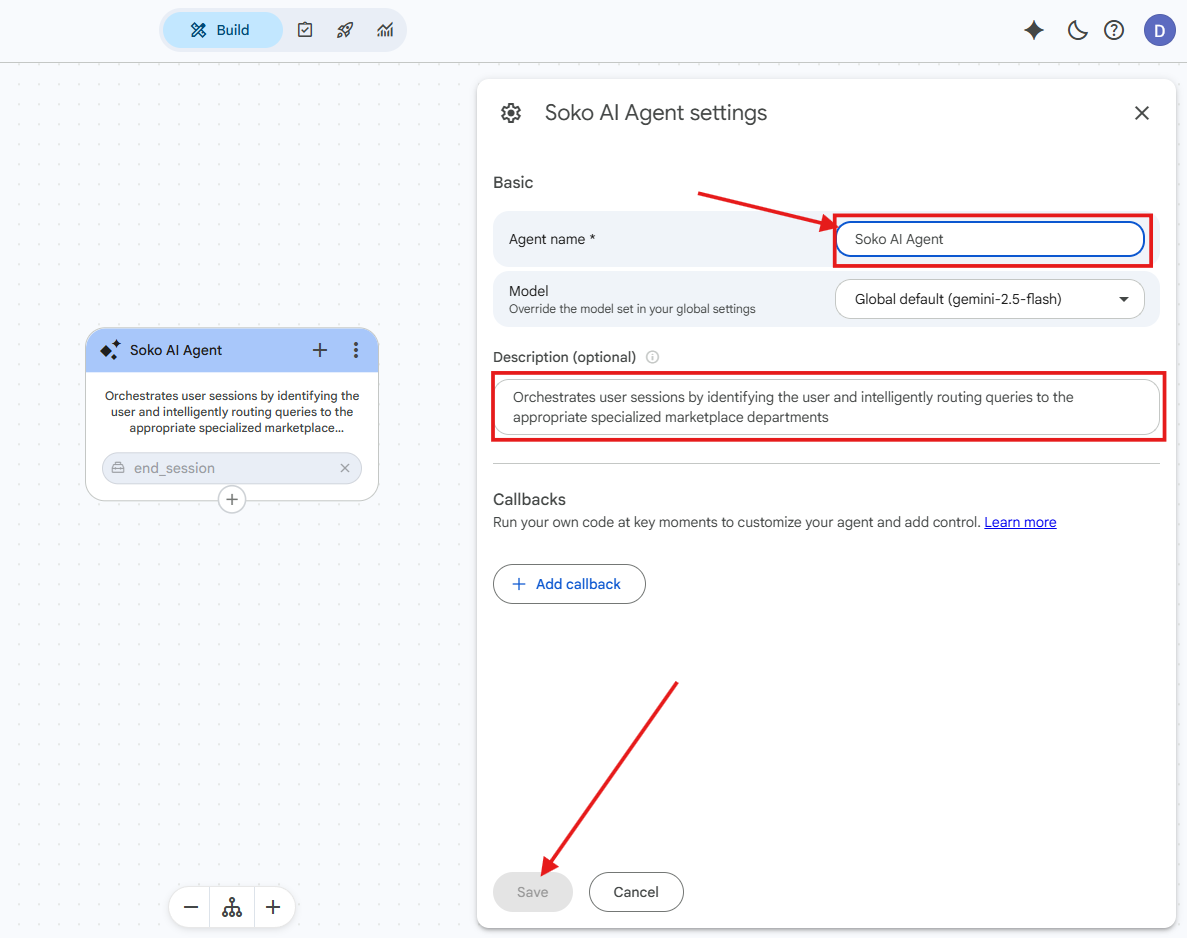
Root agent configuration complete!
Part B: Create the Specialist Sub-Agents
You will now create four sub-agents. Each is an independent Playbook that the root agent can hand off to.
Add a Sub-Agent
-
Click the
+sign at the bottom of the root agent node, then select Add new sub-agent. -
When the following pop-up appears, click Create Anyway to disable Gemini helpers and proceed.
Note
This action disables Gemini recommendations. Click Create Anyway to continue.
Sub-Agent 1: Marketplace Agent
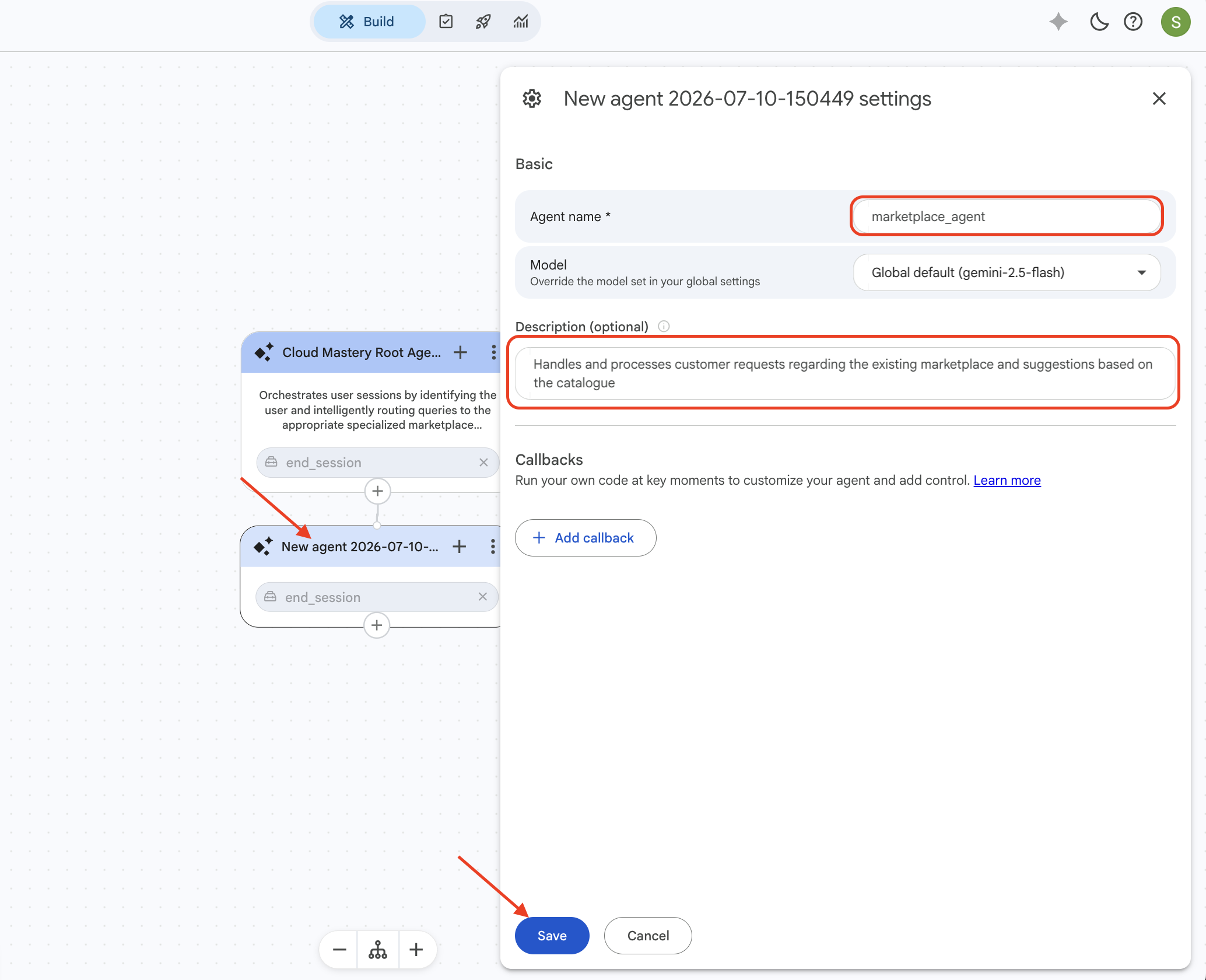
- Click the new agent's title to open the configuration sidebar.
- Set the name to
marketplace_agent. -
Add the following description:
-
Click Save and close the sidebar.
Sub-Agent 2: Carparts Agent
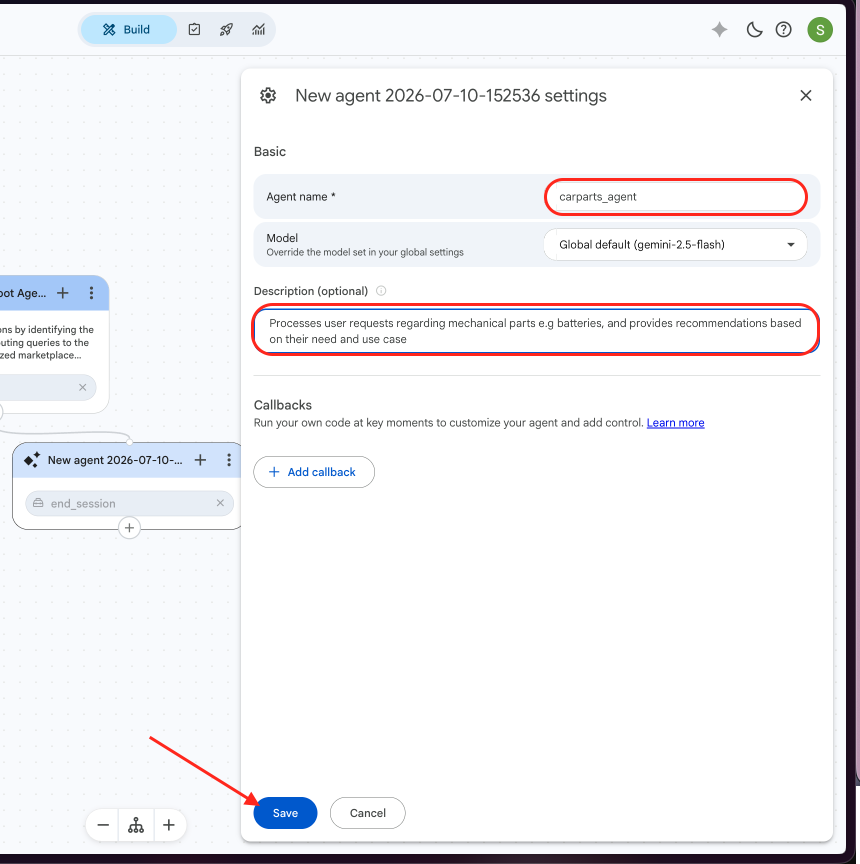
- Repeat the steps above to add another sub-agent.
- Set the name to
carparts_agent. -
Add the following description:
-
Click Save.
Sub-Agent 3: Finance Agent
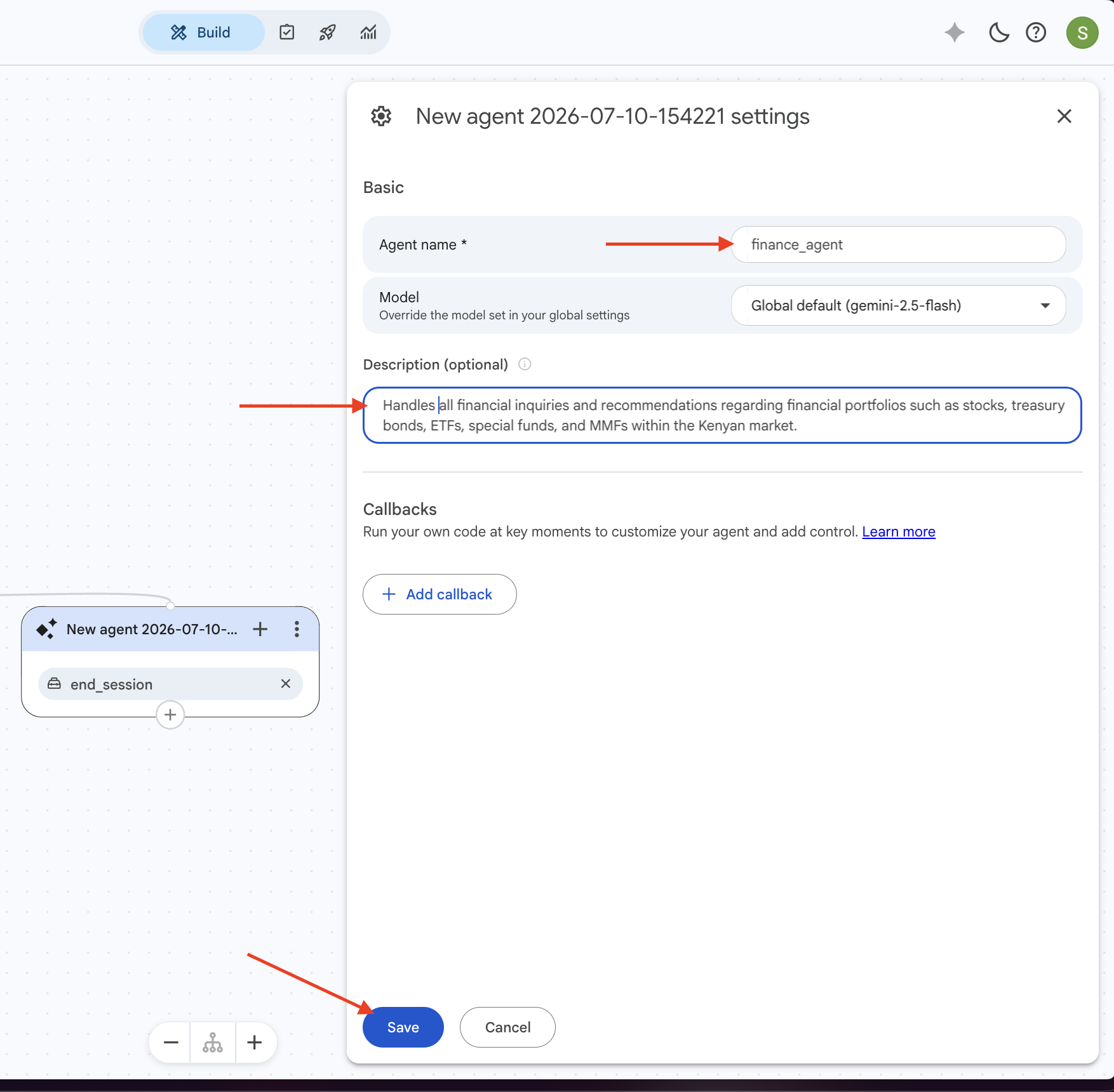
- Add another sub-agent.
- Set the name to
finance_agent. -
Add the following description:
-
Click Save.
Sub-Agent 4: Accounts Agent
- Add the final sub-agent.
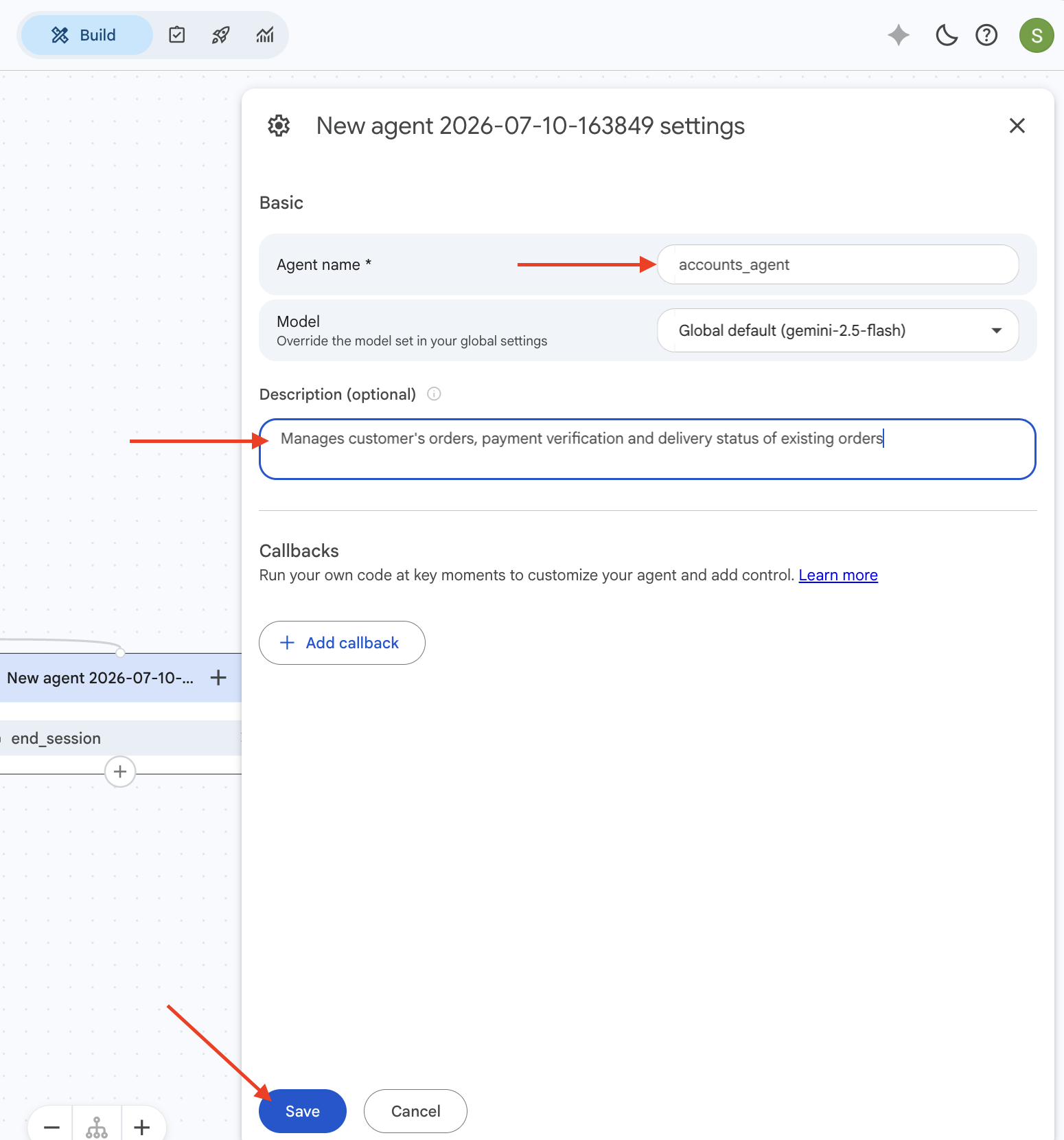
- Set the name to
accounts_agent. -
Add the following description:
-
Click Save.
Verify Your Setup
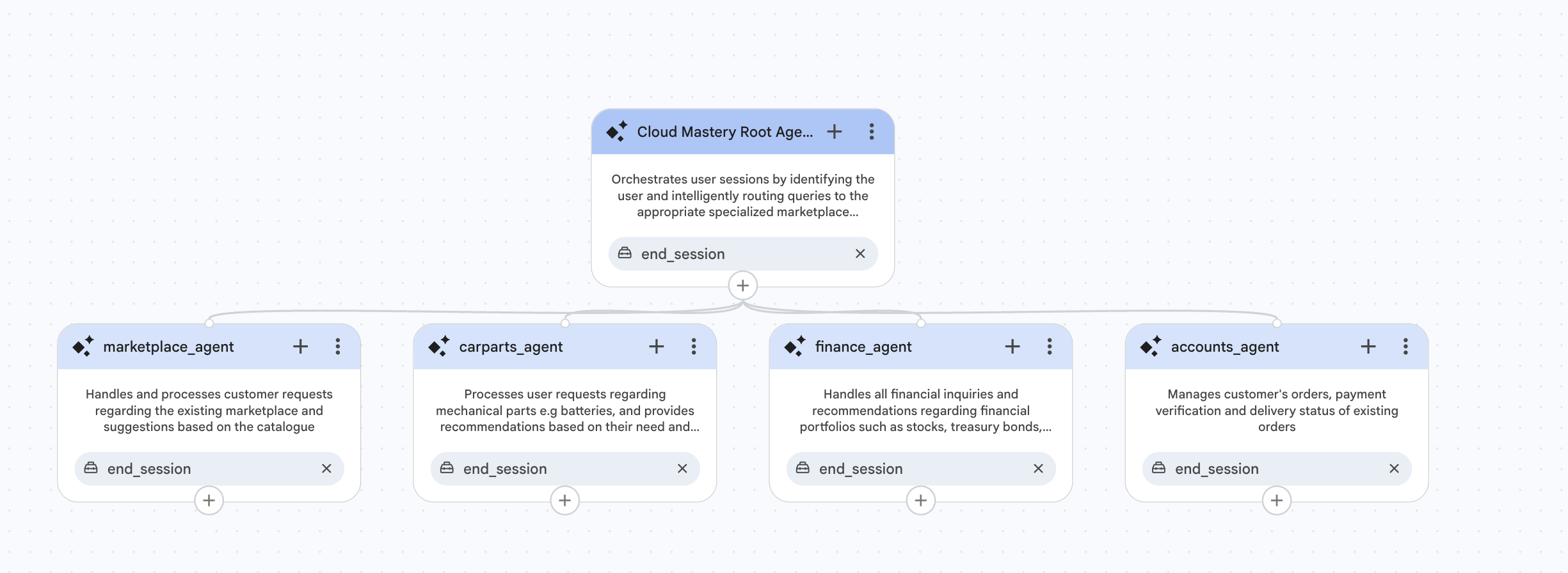
When all four sub-agents have been created, your Agent Builder page should look like this — with the root agent at the top and all four specialists branching below it:
Step 2 Complete
All five playbooks are now configured. In the next step, you will create the tools that power these agents.